Everything your fleet needs
From first deploy to remote debugging and everything in between: one platform for the full lifecycle of your devices.
Reliably ship to the whole fleet
Managed Deployments
Orchestrate staged firmware rollouts with canary stages, approvals, and failure limits. Too many failed updates halt a release until you retry or skip the stage. Every device lands on the exact build you intended.


Catch problems before customers do
Health & Alerting
Stream custom metrics (CPU, memory, battery, connectivity, sensor data) and set thresholds that page you. Spot a failing cohort while it's still a handful of devices, not a recall.


Trust the device and the build
Best Practice Security
Full support for industry-standard mTLS for device connections. Ensuring secure and private communication. All firmware is signed with your private keys before publishing, certifying that it originates from your organization. Of course we offer 2FA, RBAC and more to help you keep your fleet secure.
$ nh ca generate --upload --name acme-ca
Generated CA acme-ca for acme
Registered CA certificate 4A:1B:C3:… with acme

$ nh key create prod
Created signing key prod in acme
$ nh firmware upload my_product.fw --key prod
Signing my_product.fw with key prod
Uploaded firmware 1.4.2 (234d60d1-…)
$ One-button maintenance
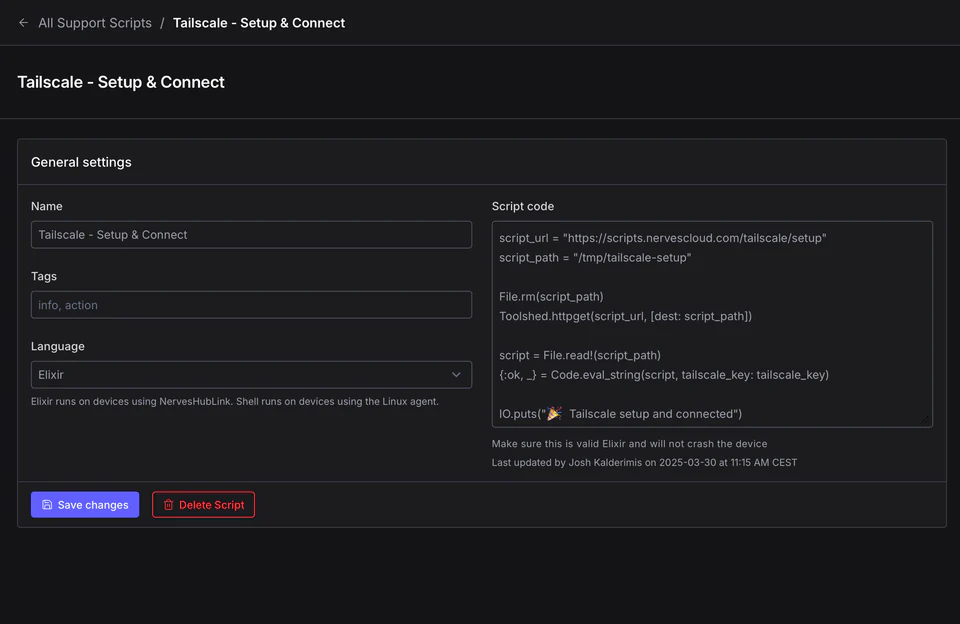
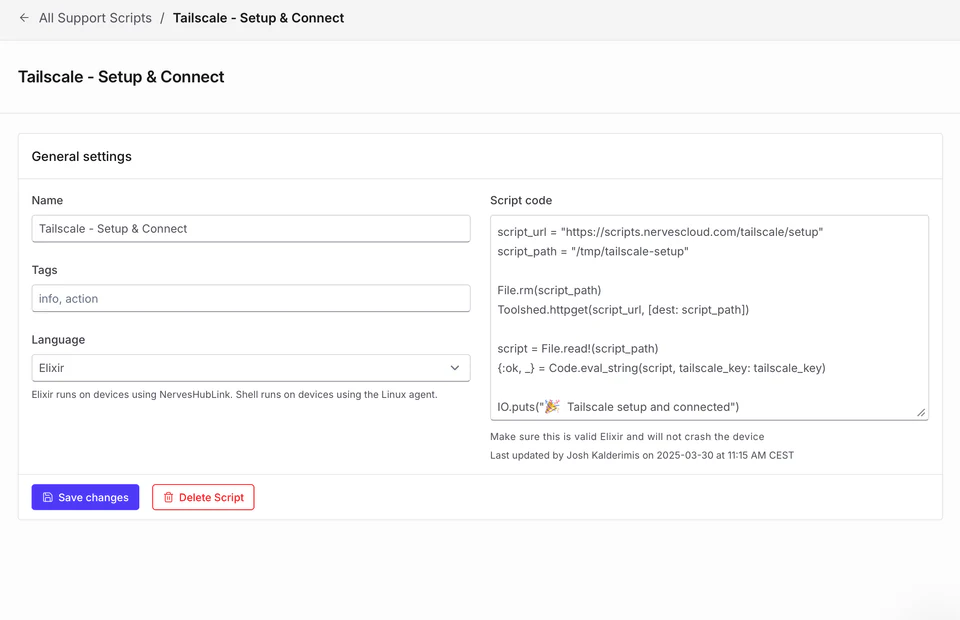
Support Scripts
Turn your most common remediation steps into reusable, one-click actions your whole team can run safely. No SSH, no bespoke tooling, and a full audit trail on every execution. Empower your support organisation to solve real problems.
Debug any device, anywhere
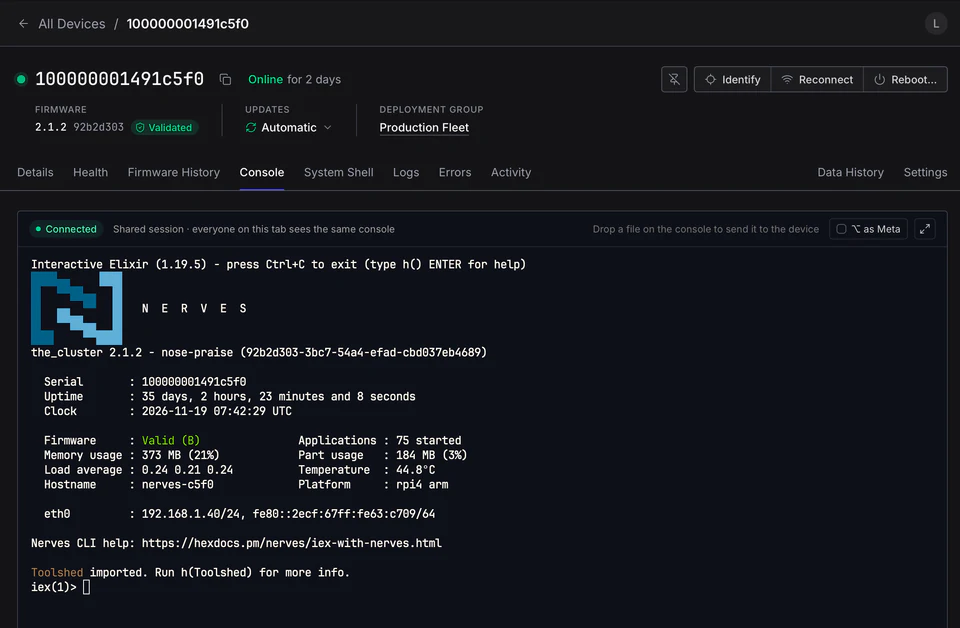
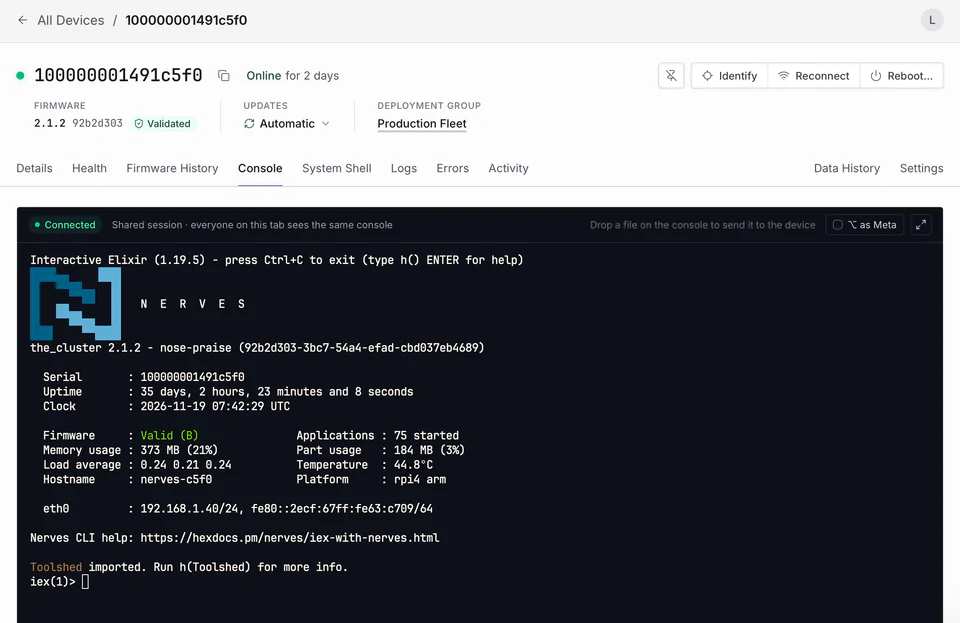
Remote IEx Console
Drop into a live IEx session on a device on the other side of the planet. Inspect state, run diagnostics, and confirm a fix in real time, exactly as if it were on your desk. Usage is auditable and the feature can be disabled or gated for higher security needs.
Ship only what changed
Delta Updates
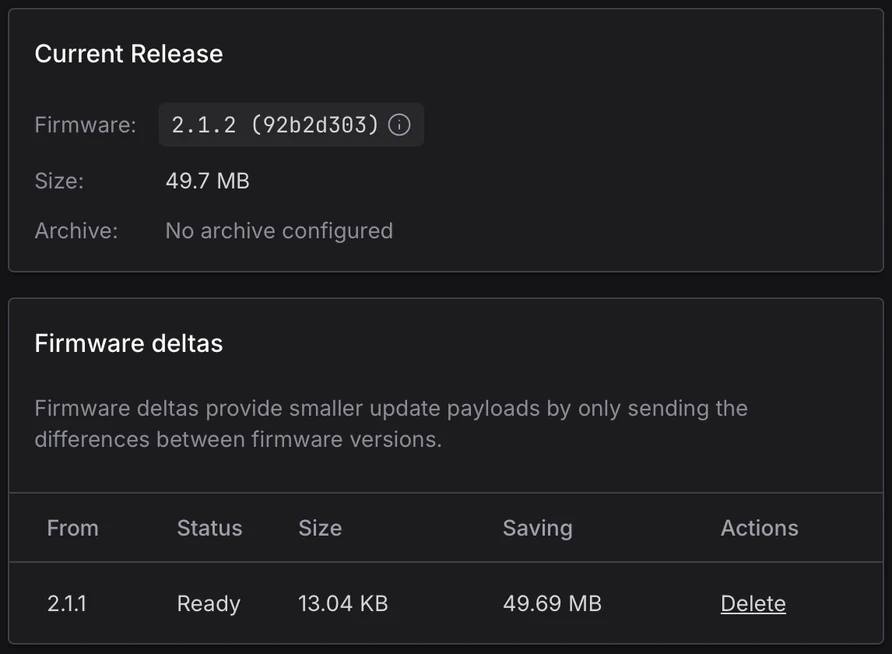
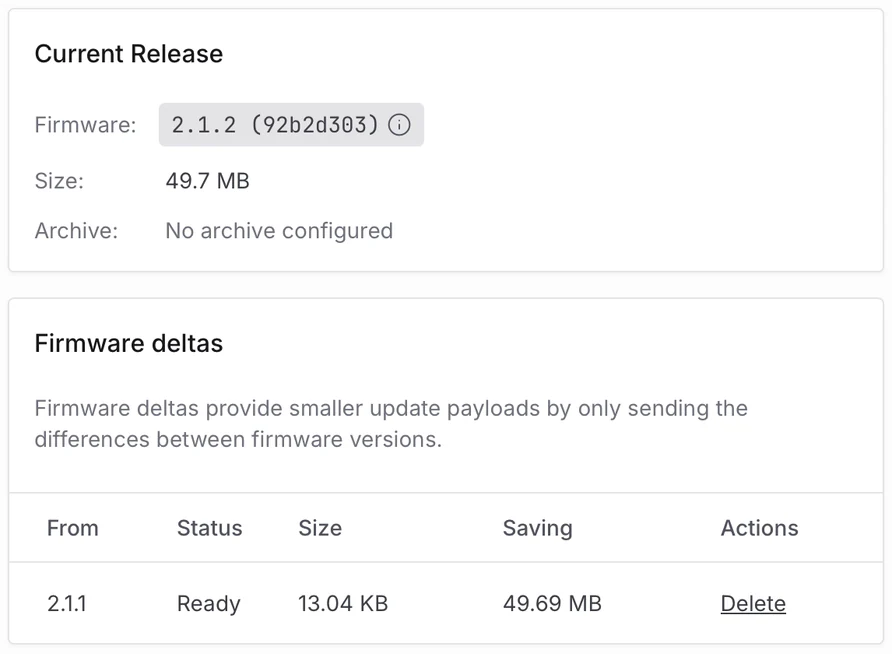
Send just the bytes that differ between two firmware versions instead of the whole image. Downloads get smaller and faster, which matters when a device is on a metered cellular link or a weak signal.
Run the fleet from your AI agent
MCP Server
Expose NervesCloud over the Model Context Protocol so an AI assistant can check device health, run a support script, or read logs. Ask about your fleet from the same agent you already code with.
Explore the MCP server(opens in new tab)Bring your own MCP client


…and any other MCP-compatible tool.
Direct, encrypted device links
Iroh Support
Reach devices over Iroh's peer-to-peer connections, punching straight through NAT and firewalls. Open a console or move files fast, even when a device has no public address.
Explore Iroh support(opens in new tab)

A first-class CLI for your fleet
Dev Tooling
Manage firmware, deployments, and devices from the command line. The CLI drops straight into your scripts and CI, so a release is one command instead of a click-through.
View the CLI on GitHub(opens in new tab)$ nh device list
Page 1 of 1 — 3 device(s) total
IDENTIFIER STATUS VERSION
sensor-a1c3 connected 1.4.2
sensor-b7f2 connected 1.4.2
sensor-c9d0 disconnected 1.4.1
$ nh deployment update prod --state on
Updated deployment group "prod" in acme/my_product
$ Automate every release
CI Workflows
Add the upload-nerves-firmware action to your GitHub Actions and every tagged build lands in NervesCloud on its own. A release comes down to a git tag instead of a manual upload, and the firmware your fleet pulls is the exact commit CI built.
View the GitHub Action(opens in new tab)- name: Upload firmware to NervesCloud
uses: nervescloud/upload-nerves-firmware
with:
token: ${{ secrets.NERVES_CLOUD_TOKEN }}
org: acme
product: my_product
private-key: ${{ secrets.NERVES_CLOUD_PRIVATE_KEY }}
deployment: prod
Put your fleet's health front and center
Connect your first device in minutes.
The Hobby plan is free forever. No credit card, no sales call.